Gramps calendar tool
Family Tree Calendar
Turn Gramps' Web Calendar report into a clean, mobile-friendly birthday and anniversary calendar for a family website.
What it does
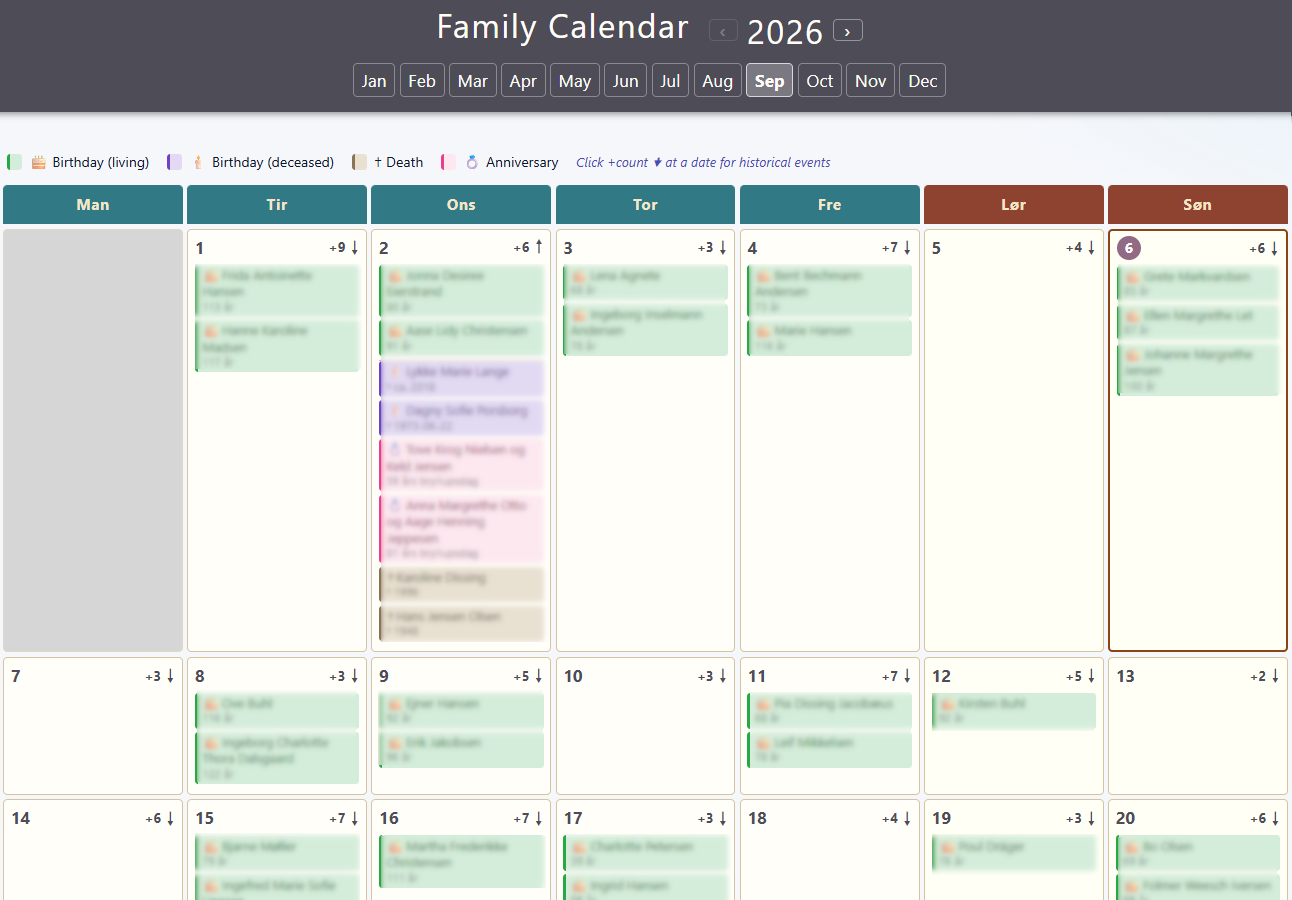
Family Tree Calendar reads the twelve monthly HTML files created by Gramps' Web Calendar report and rewrites them as a consistent website calendar.
Each month gets navigation between months and years, while living birthdays stay visible and historical events can be expanded only when needed. The result can be opened locally or published with a family website.
Why this tool exists
A full web-based family tree can be relatively heavy to regenerate when only the calendar needs updating. Gramps' lighter Web Calendar report already contains the day-by-day birthday and anniversary information needed for the calendar.
Family Tree Calendar uses that smaller report directly, so updating the calendar does not require rebuilding an entire Narrative Web site.
Main features
- Current year + next year — builds the two years normally needed for a continuously usable calendar.
- Monthly navigation — move between all twelve months and switch between the available years.
- Four event types — living birthdays, deceased birthdays, death anniversaries and wedding anniversaries.
- Readable day cells — living birthdays are shown directly; historical events stay behind a small expandable toggle.
-
Self-updating entry page
—
index_kalender.htmlautomatically opens the current month. - Language support — English and Danish are built in; additional language packs can be added, with a German example included.
- Safe re-runs — the script refuses to replace a good calendar when no source events are found.
Requirements
- Gramps 5.2 or later
- Python 3.6 or newer
- No third-party Python packages
- Gramps Web Calendar output generated with Link to Narrative Web turned off
Installation instructions
Download the ZIP from
Source & Downloads
and extract it into the folder that contains your
cal
folder.
- In Gramps, open Reports → Web Pages → Web Calendar .
-
Set the destination so it ends with
cal. - Select Entire Database or your own filter.
- Generate the current year and the next year.
- Turn Link to Narrative Web off.
-
Run
python webcal_kalender.pyfrom the folder containing the script andcal. -
Open
index_kalender.htmlto enter the finished calendar.
The README contains the complete list of command-line options, language-pack information and notes about updating the calendar.
Language
English and Danish are built into the script. The source language can be detected from the Web Calendar HTML, or a language can be selected explicitly with
--sprog
.
Additional languages use a JSON language pack in the
sprog
folder. A German
de.json
starter pack is included as an example. Terminal messages are Danish when Danish is selected and English otherwise.
Files and documentation
Downloads, source code, release notes, README, license and checksum are collected in Source & Downloads.
Open Source & Downloads